
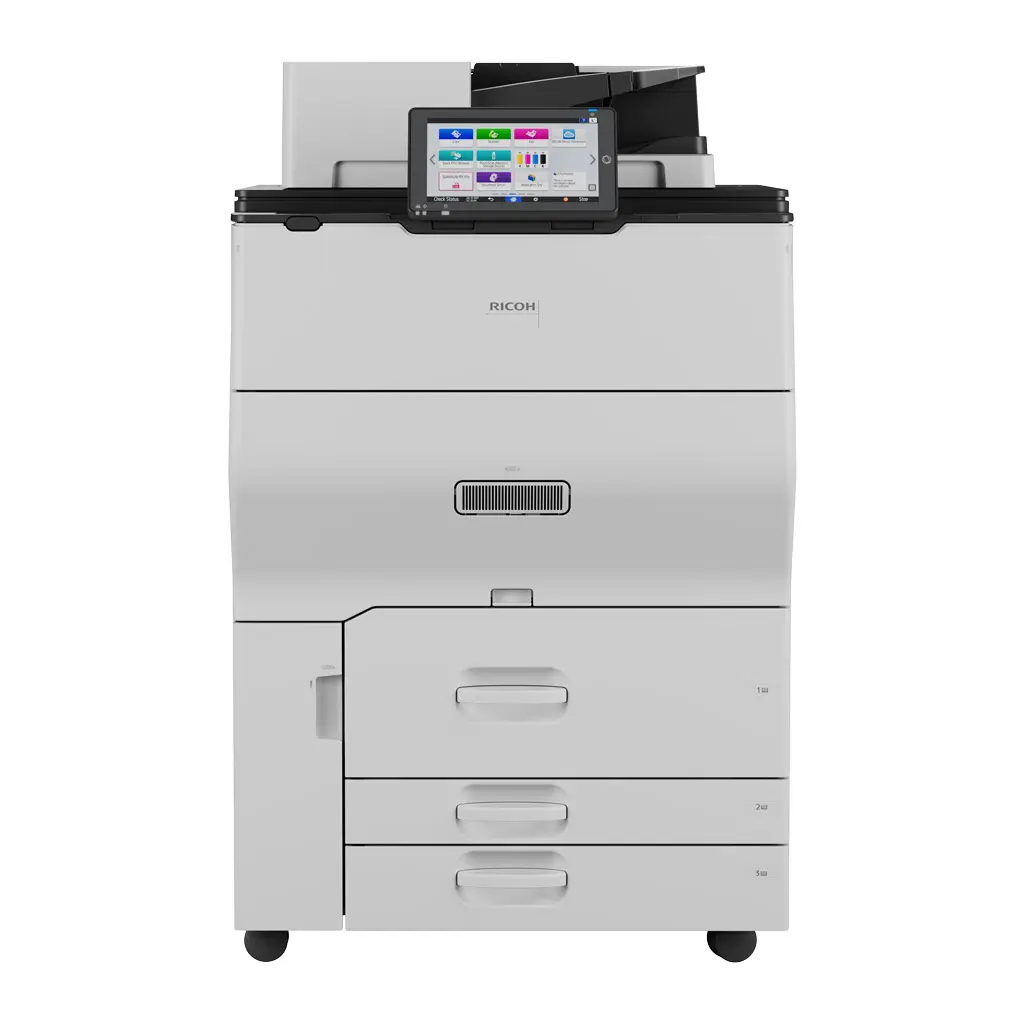
Ricoh Image
返回

IM C6510 A3 colour multifunction printer

  • Copy, print, scan, optional fax
  • Prints up to 65 ppm
  • 8,100-sheet max input
  • Optional stapleless binding

Smarter digital workflows

Connect with RICOH Smart Integration cloud-based solutions to streamline scanning, document workflows, and device management.

Innovation meets sustainability  

From water-based stapleless binding, increased use of recycled materials, and advanced power management, the IM C6510 brings sustainability and cost-efficiency to every print job.

  1. Less waiting, faster results  
    Fast first copy, warm-up, and scanning speed times minimise waiting to keep productivity high.
  2. Intuitive user experience
    The Smart Operation Panel puts advanced functionality at your fingertips with a familiar, user-friendly interface.
  3. Secure by design
    Continuous updates and robust security features help safeguard your data and documents.
  4. AI-powered precision
    Automatic document orientation and skew correction reduce scanning errors and save time.

PDF brochure    Specifications sheet


Specifications

功用
Copy, print, scan, optional fax
色彩
Yes
存儲
960 GB (480 GB x 2)
記憶體 - 標準
8 GB—4 GB mainframe + 4 GB Smart Operation Panel
操作板面
10.1" Smart Operation Panel (G3)
實體尺寸(長闊高)—大型機
750 x 880 x 1,225 mm
重量—大型機
260 kg
標準輸入量(張)
3,700
最大輸入量(張)
8,100
最大輸出量(張)
3,000
紙張輸入配置 - 標準
1,250-sheet x 2 tandem tray, 2 x 550-sheet paper input trays, 100-sheet bypass tray, 220-sheet SPDF, Duplex unit
支援媒體

Plain Paper1, Recycled Paper, Special Paper 1-3, Colour Paper, Letterhead, Cardstock, Preprinted Paper, Bond Paper, High-gloss Coated Paper, Envelope2, Coated Envelope2

1—Not displayed as paper type
2—Tray 2 only

最大紙張尺寸
A3
媒體量
52.3–300
介面 - 標準
Mainframe
10Base-T/100Base-TX/1000Base-T (Gigabit Ethernet)
IEEE 802.11 a/b/g/n/ac—2.4 GHz or 5 GHz can be selected; default: auto 
USB Host Type A—2 ports 
USB Device Type B—1 port
 
Smart Operation Panel
Bluetooth 5.21
USB Host Type A—USB Flash memory
USB Host Type A—1 port for USB keyboard, NFC, etc. (optional)
 
1—Cannot be used for printing
介面 - 可選

Device Server Option Type M52 (additional Ethernet port)
Copy Connector Type M25

網路協議 - 標準
TCP/IP (IPv4, IPv6)
影印速度
65 cpm
首次影印時間
4.9 seconds—black and white
6.8 seconds—colour
影印解像度
100, 200, 300, 400, 600 dpi—scanning
2,400 x 4,800 dpi—printing (maximum)
縮放範圍
25%–400% in 1% steps
放大比例
400%, 200%, 141%, 122%, 115%
縮放比例
93%, 82%, 75%, 71%, 65%, 50%, 25%
雙面影印
Simplex to duplex, duplex to duplex—with SPDF, book to duplex, front and back to duplex
書本影印
Booklet, magazine, layout, and booklet
身份證影印
Supported
色彩列印速度
65 ppm
黑白列印速度
65 ppm
首次列印時間
5.5 seconds or less—black and white; 7.5 seconds or less—colour
列印解像度
2,400 x 4,800 dpi—maximum
頁面描述語言

Standard
PCL 5c, PCL 6, PostScript3 emulation, PDF Direct emulation

Optional
Adobe PostScript 3, Adobe PDF Direct, IPDS

印表機驅動程式

Standard
PCL 5c, PCL 6, PostScript3 emulation

Optional
Adobe PostScript 3

雙面列印
Standard
行動列印
AirPrint, Mopria®, RICOH Smart Device Connector
掃瞄速度
A4 LEF via SPDF
150 ipm—simplex
300 ipm—duplex
掃瞄模式
Scan to USB, Scan to email, Scan to folder (SMB, FTP), Scan to URL, Scan to PDF/A, Scan to digitally signed PDF, Scan to searchable PDF (embedded)
色彩掃瞄
Standard
掃瞄解像度
100 dpi, 150 dpi, 200 dpi (default), 300 dpi, 400 dpi, 600 dpi, 1,200 dpi
掃瞄至檔案類型
Single- and multi-page TIFF 
Single-page JPEG 
Single- and multi-page PDF, PDF/A 
Single- and multi-page High-Compression PDF 
掃瞄至電子郵件

Protocols 
IMAP4, POP, SMTP 

Authentication
SMTP authentication, POP before SMTP authentication

Scan resolution 
100 dpi, 150 dpi, 200 dpi (default), 300 dpi, 400 dpi, 600 dpi

Scan to email file types
Single-page
TIFF, JPEG, PDF, PDF/A, High-Compression PDF, Encrypted PDF, Searchable PDF

Multi-page
TIFF/PDF (default), PDF/A, High-Compression PDF, Encrypted PDF, Searchable PDF

Note: Optional OCR unit is required to support scanning to a searchable PDF.

掃瞄至資料夾

Protocols
SMB, FTP

Security
Client folder logon, transmission encryption of logon name and password

Resolution
100 dpi, 150 dpi, 200 dpi (default), 300 dpi, 400 dpi, 600 dpi

Search for client folders
SMB—browsing directly to the designated folder
FTP—by folder name

Scan to folders file types
Single-page
TIFF, JPEG, PDF, PDF-A, High Compression PDF, Encrypted PDF, Searchable PDF

Multi-page
TIFF/PDF (default), PDF-A, High Compression PDF, Encrypted PDF, Searchable PDF

Note: Optional OCR unit is required to support scanning to a searchable PDF.

TWAIN掃瞄
Scan mode
Standard, Photo, OCR, Filing

Scan resolution
100–1,200 dpi
傳真類型
G3 fax, Internet fax (T.37), IP fax (T.38), LAN-Fax, Paperless fax, Direct SMTP fax
傳真機電路
PSTN, PBX
傳真兼容性
ITU-T (CCITT), G3—maximum 3 lines
傳真數據機速度
2,400 bps–33.6 Kbps—G3, standard with automatic shift down
傳真壓縮方法
MH, MR, MMR, JBIG
傳真解像度

Standard mode 
200 x 100 dpi—8 x 3.85 lines/mm

Detail mode
200 x 200 dpi—8 x 7.7 lines/mm

Super fine mode 
400 x 400 dpi—8 x 15.4 lines/mm
400 x 400 dpi—16 x 15.4 lines/mm

Note: Super fine mode is supported with the optional SAF memory.

G3傳真傳送速度
2 seconds approximately—JBIG, ITU-T No. 1 chart, TTI off, memory transmission
3 seconds approximately—MMR, ITU-T No. 1 chart, TTI off, memory transmission
傳真SAF記憶體容量
Standard—4 MB, approximately 320 pages
With optional SAF memory—60 MB, approximately 4,800 pages
傳真記憶體備份
1 hour
快速撥號
2,000 numbers
數據覆寫保安系統(DOSS)- 標準
SSD—bulk deletion only; Optional HDD—bulk and sequential deletion
加密功能
SSD/HDD encryption
Authentication password encryption
Encryption of data sent via Scan to email and Fax forwarding (S/MIME)
Encrypted secure print
Encrypted PDF Mode
認證
802.1x wired authentication
IEEE 802.11i security (WEP, WPA, WPA2, WPA3)
Network user authentication
Quota setting/Account limit
User authentication—Windows and LDAP via Kerberos, OAuth 2.0
User code authentication
Wi-Fi Protected Setup (WPS) support
Windows
Windows 10
Windows Server 2019
Windows 11
Windows Server 2022
Windows Server 2025
Macintosh
MacOS 12 or later—PostScript 3 only, requires Rosetta to be installed
UNIX
Sun Solaris—10
HP-UX—11.x, 11iv2, 11iv3
Red Hat Linux—Enterprise v5, v6
SCO OpenServer—5.0.7, 6.0
IBM AIX—7.1, 7.2
SAP
Environment—R/3, S/4
Platform—SAP R/3 (Release versions 3.0 and higher), SAP R/3 Enterprise, mySAP ERP (2004 and higher), SAP HANA
Page Description Language (PDL)—PCL
Character set—Latin-1, Latin-2, Unicode
Barcode fonts—Code 128, Code 39, Code 93, Codabar, 2 of 5 interleaved/Industrial/Matrix, MSI, USPS Postnet, UPC/EAN
OCR fonts—OCR A, OCR B
Other supported features—Available for the printing of all SAP document types—SAPScript, Smartforms, ABAP
標準
@Remote Embedded
Web Image Monitor 
可選

Global
Ricoh Smart Integration (CloudStream)
RICOH Streamline NX V3
Device Manager NX Accounting

APAC
Ricoh Smart Integration (Connectors. Control, Control+)
ESA TransFormer
Host Printing Translator
Set Numbering
EZ Plus 2.0
EZ Charger Suite
Scan to Cloud Server (AP)

手機應用程式
RICOH Smart Device Connector
電源
220–240 V, 50/60 Hz
耗電量
2,400 W—maximum power
1,170 W—operating power, black and white
1,260 W or less—operating power, colour
165 W—Ready Mode
0.46 W—Energy Saver Mode (Sleep Mode)
典型用電量
1.21 kWh
預熱時間
29.7 seconds
恢復時間
27 seconds—Energy Save Mode (Sleep Mode)
7.9 seconds—Low Power Mode
其他環保功能
Eco-friendly indicator screen, System reset timer